
Nollie 32 Installation Guide
Flagship 32-channel wiring, XT30 power injection, and Lian Li Strimer Plus V2 integration.
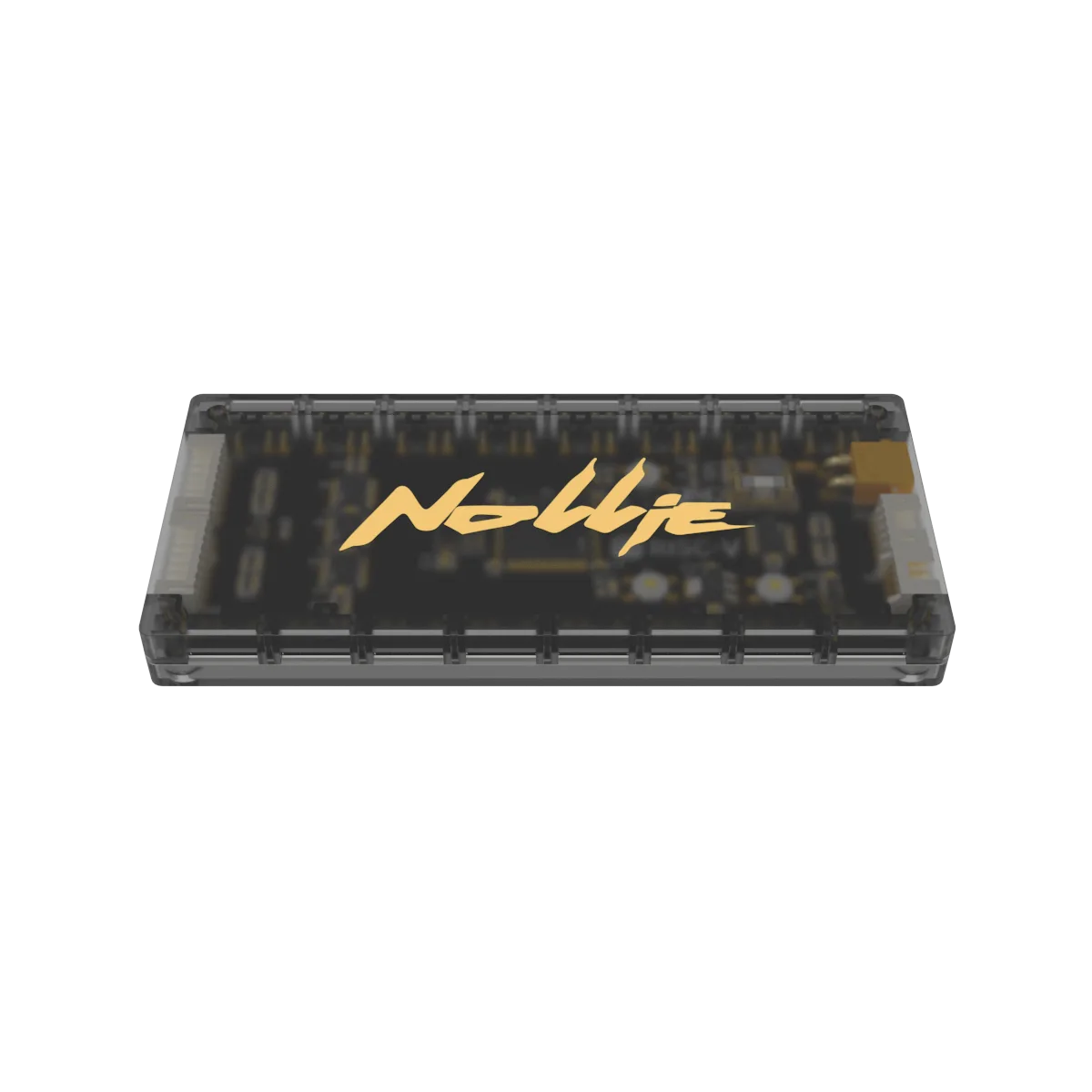
- Supports direct connection for Lian Li GPU Strimer dual 8-pin and triple 8-pin cables.
- Both Molex power connectors must be connected to feed the XT30 power rail.
- Green breathing effect confirms hardware detection on first boot.
Package Content
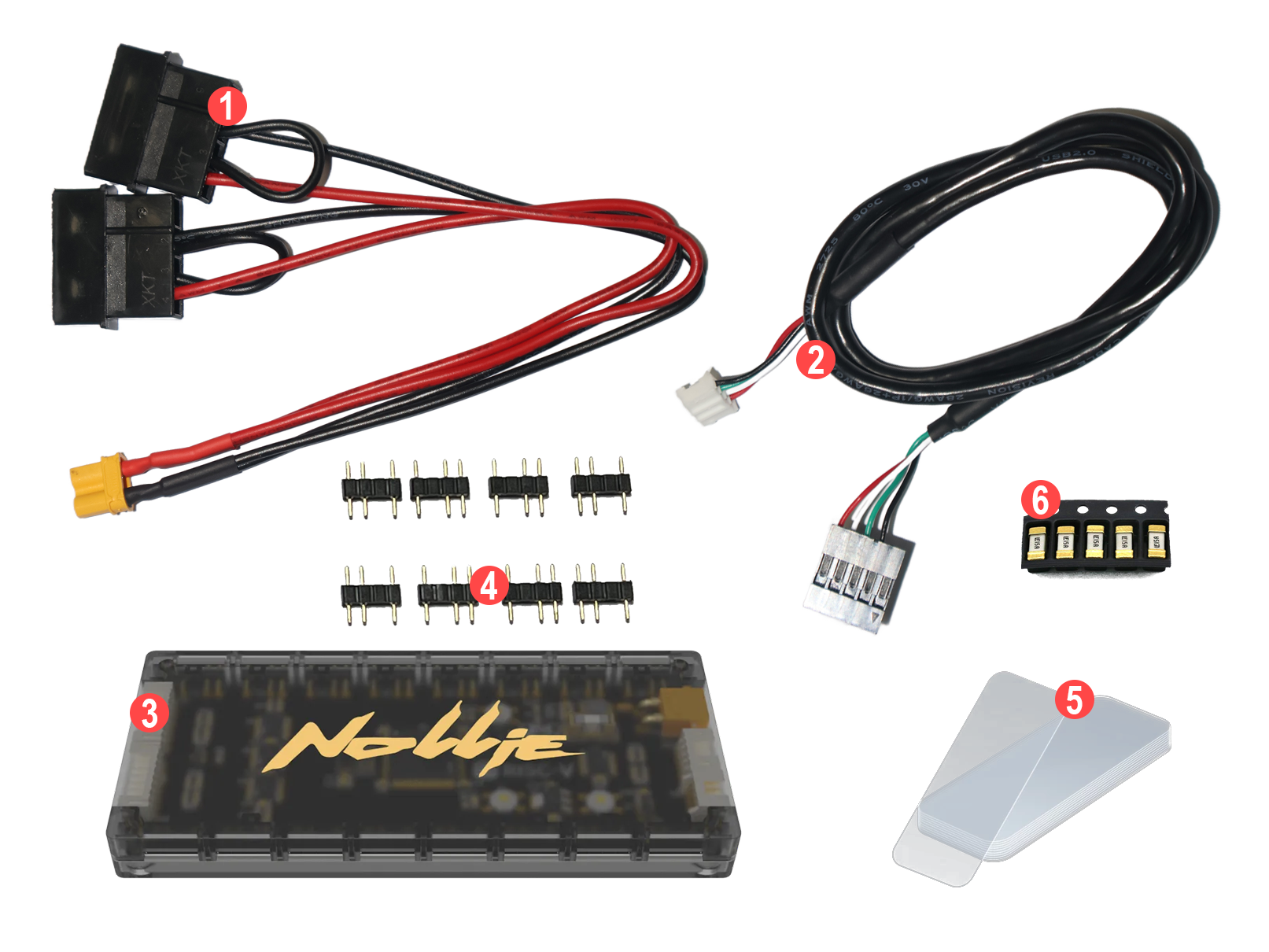
- Molex to XT30 cable ×1
- USB 2.0 Internal Motherboard connector to USB PH2.0 cable (50cm) ×1
- Nollie 32CH Controller ×1
- 5V 3-pin Female to Male adapter ×16
- Clear Acrylic Double-sided adhesive tape
- Littelfuse 15A Nano² Fast-Acting SMD Fuse (included only with purchases from the official store)
- USB-A to USB PH2.0 cable ×1 (included only with purchases from the official store)
Device Installation
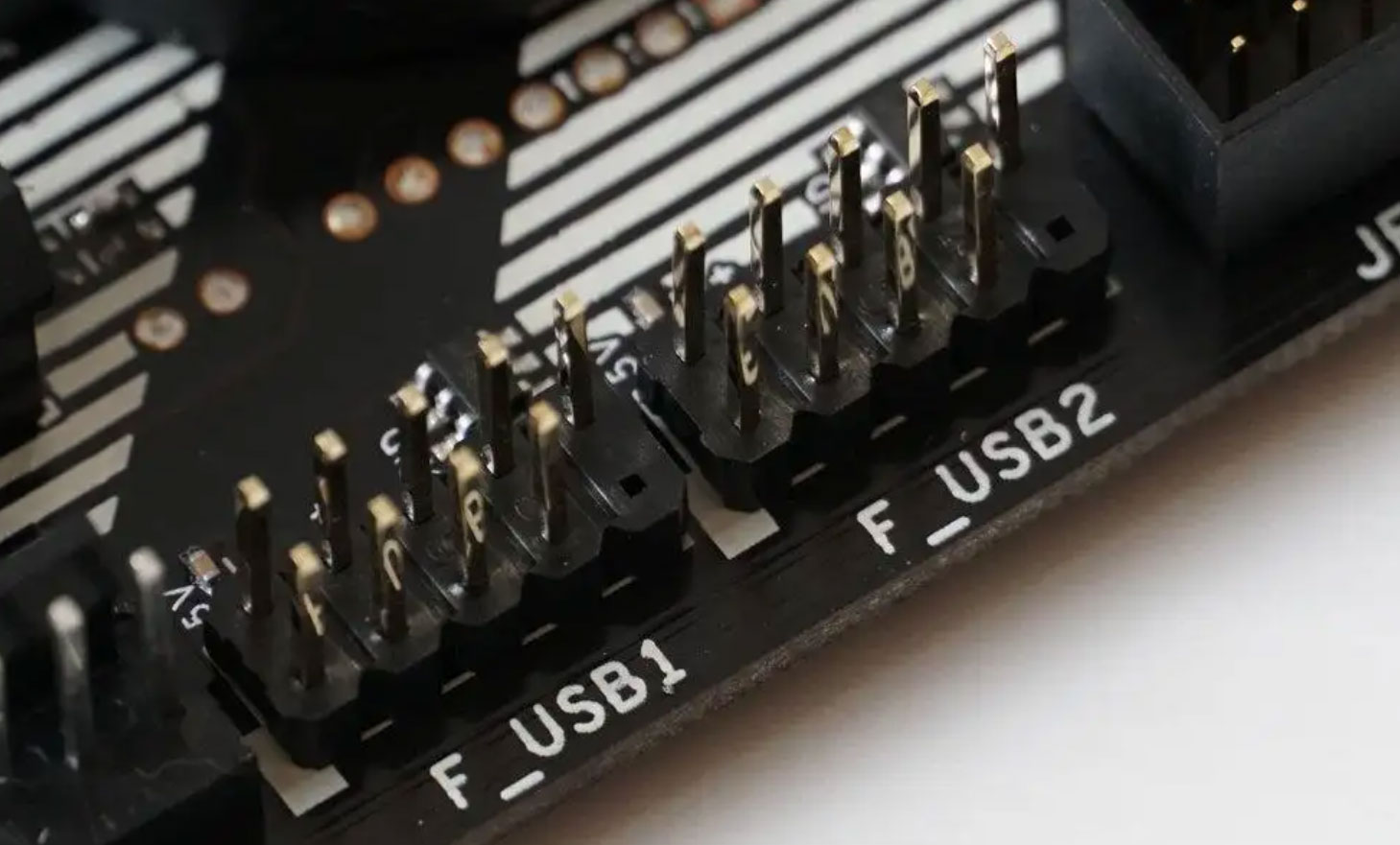
The controller only needs to be connected to the motherboard USB 2.0 9-pin interface and power supply of the motherboard.
-
Plug the controller’s USB data cable 2️⃣ to the motherboard USB 2.0 9-pin interface.
-
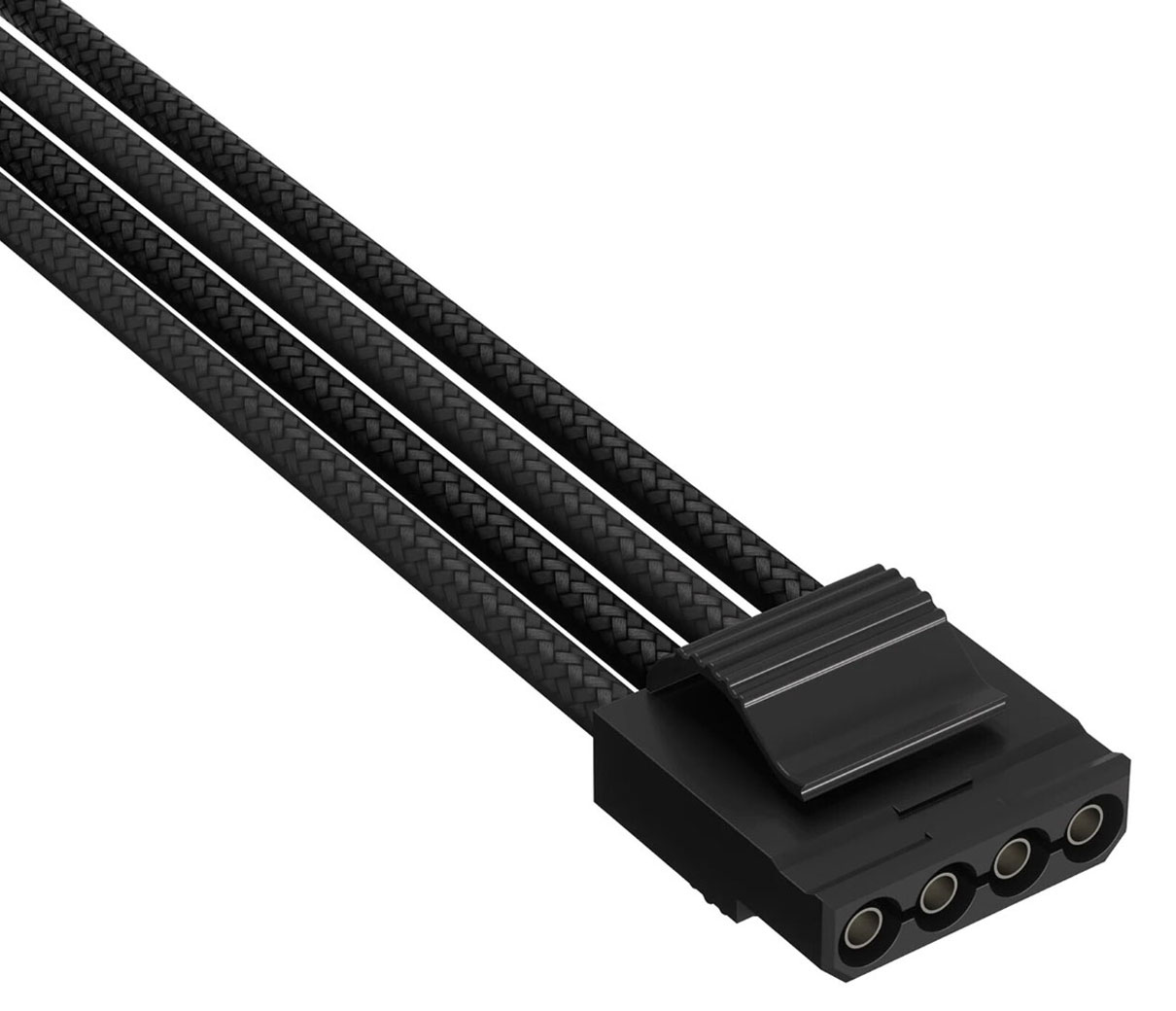
Plug the controller’s Molex power cable 1️⃣. Please note that both Molex power connectors must be connected.
-
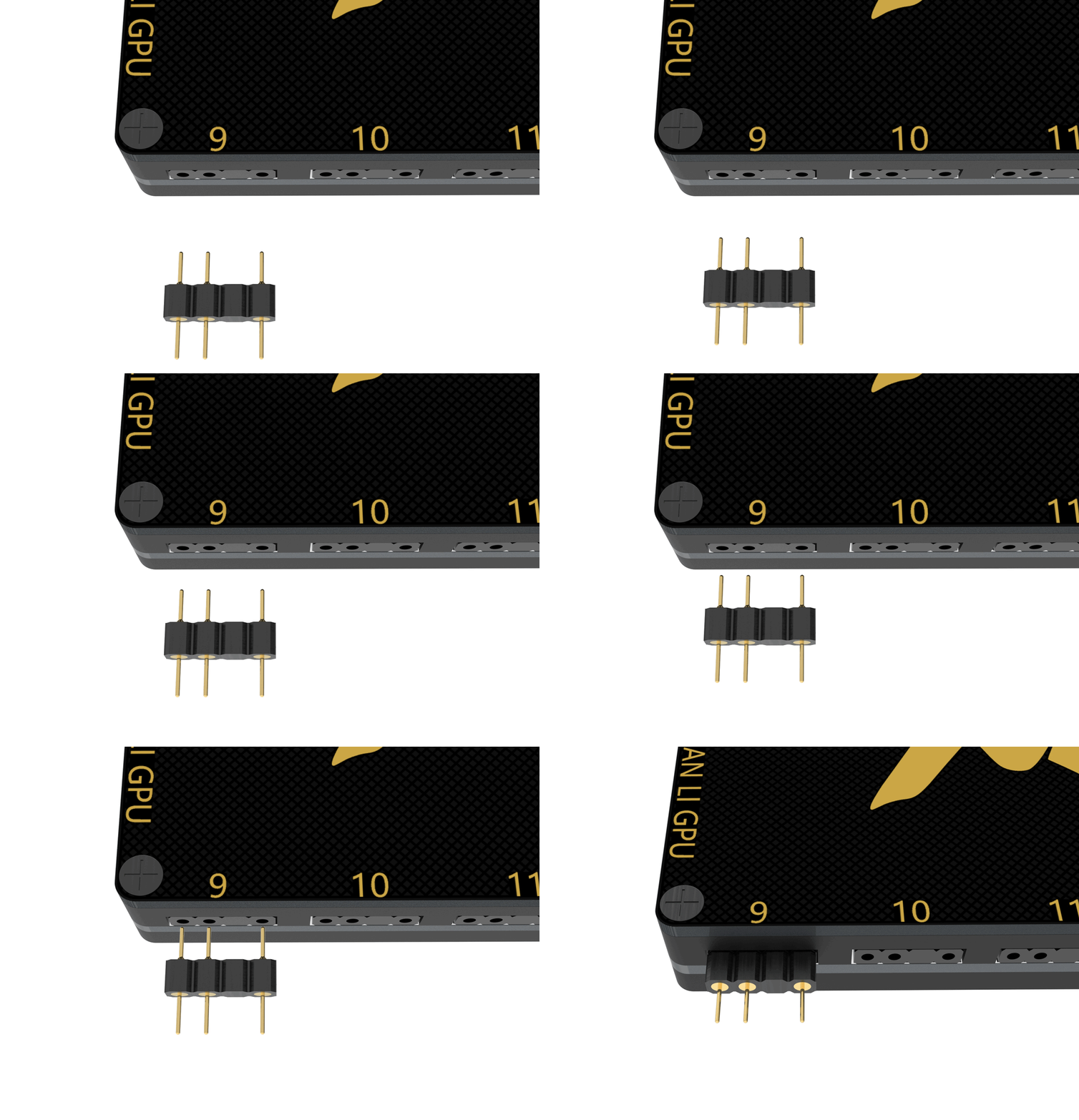
Take one of your components (LED strip or fan), plug to the Nollie controller 3️⃣ with a Female to Male adapter 4️⃣. This step is to test whether it works properly.
-
Turn on the computer: your component will immediately light up with green breathing effect, indicating proper installation.
-
Turn off the computer, install all other components.
-
If it does not light up, please do not continue to operate and contact support immediately.
Lian Li Strimer Configuration
For Lian Li Strimer Dual 8-pin, insert your Lian Li GPU Strimer connector like this:
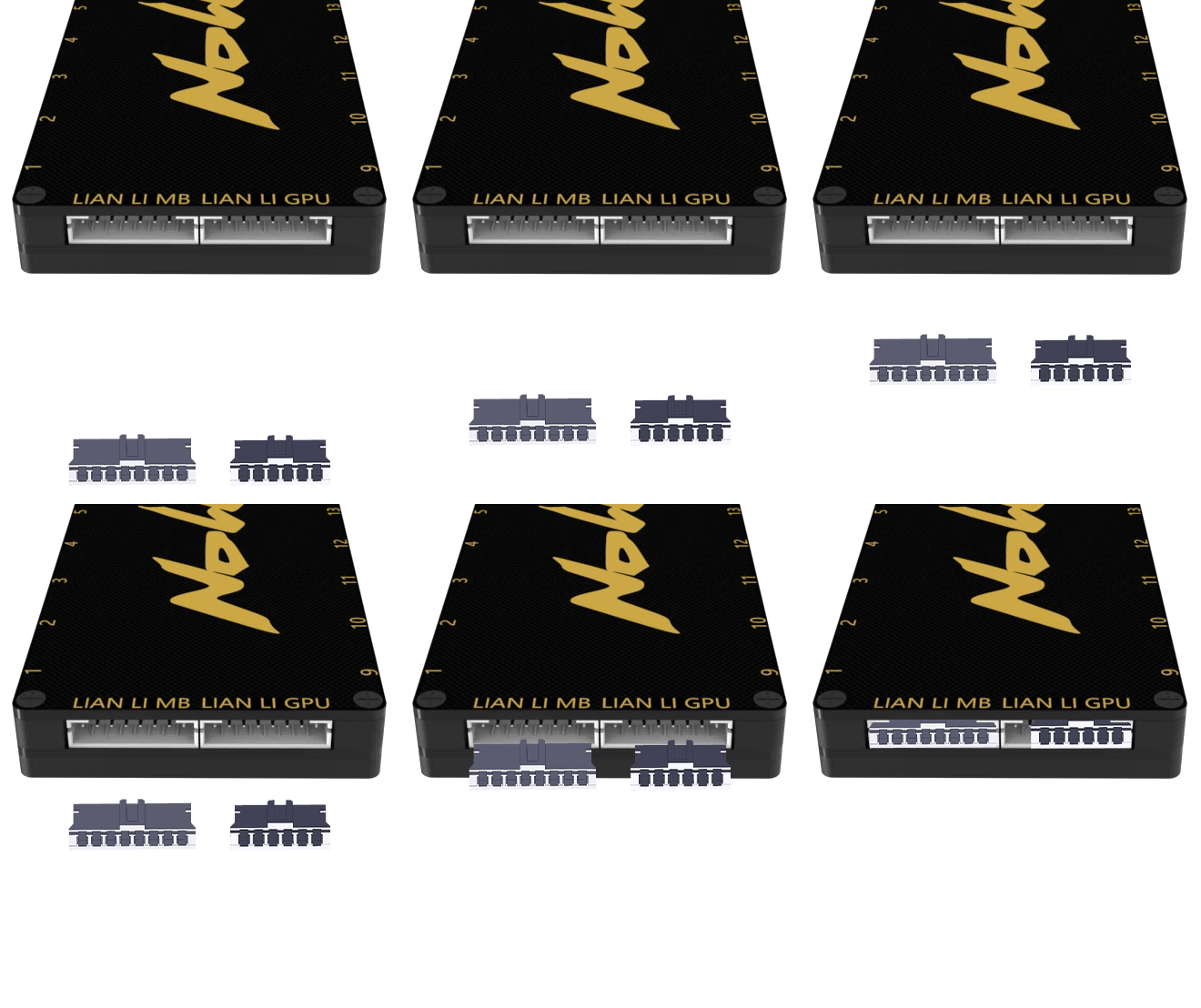
The Lian Li Strimer requires additional software steps:
- SignalRGB: Enable 24-Pin or GPU Cable Connected under Lighting tab.
- NollieRGB: Resize ATX 1–6 to 20 LEDs and GPU 1–6 to 27 LEDs, then toggle GPIO 1 for Dual 8-pin (GPIO 0 for Triple 8-pin).
- OpenRGB: Resize ATX 1–6 to 20 and GPU 1–6 to 27.
- Skydimo: Add 20 LEDs to ATX 1–6, and 27 LEDs to GPU 1–6.
- Nexus: Resize ATX 1–6 to 20 and GPU 1–6 to 27.
Precautions
-
Do not plug the 9-pin USB cable into other interfaces.
-
Do not mix cables for fully modular PSUs.
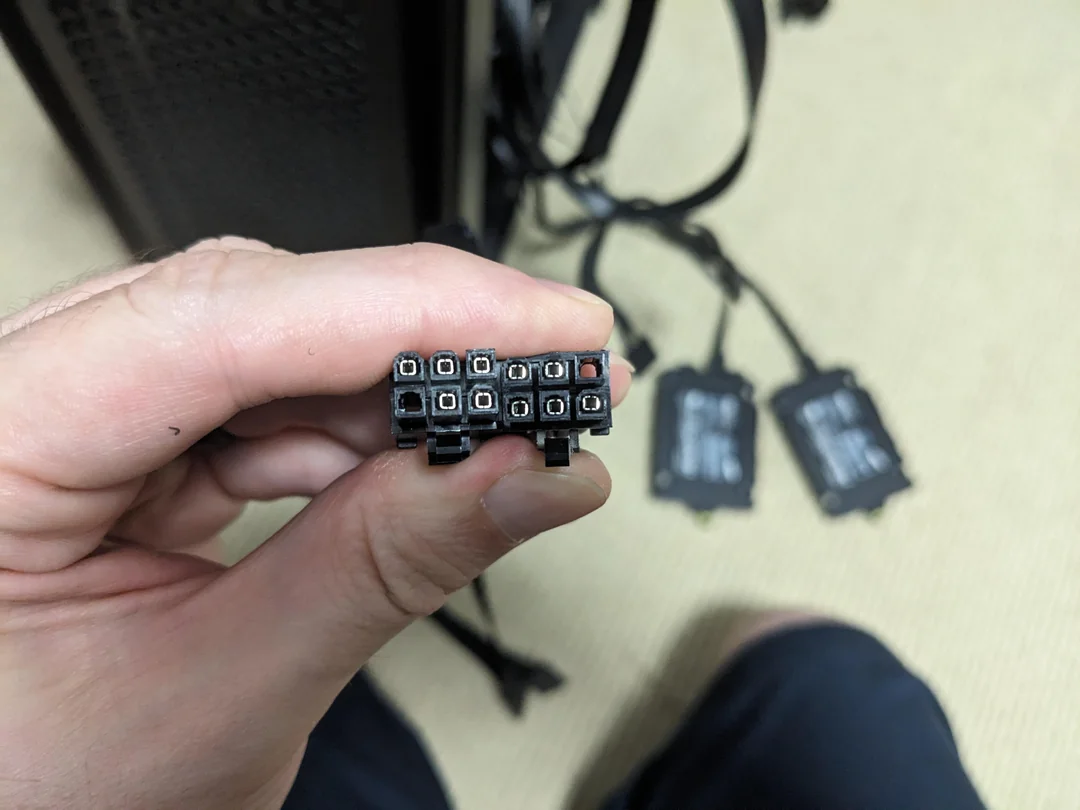 Photo credit: CoffeeStax
 -
Do not plug the motherboard 5V 3-pin into the controller.
-
Do not plug the motherboard 4-pin RGB into the controller.
-
When installing ARGB components, be sure to turn off the power and unplug the power cord.
