
First-Party UtilitySoftware·5 min read·Nov 17, 2024
How to setup NollieRGB 1.0
First-generation NollieRGB setup, SignalRGB compatibility toggle.
N
nuonuo
Nollie Team
Key Takeaways
- Unblock NollieRGB.zip in Windows file properties before extracting.
- SignalRGB users: Switch 'Hardware effect' to 'Nollie' in SignalRGB Device Lighting settings before opening NollieRGB.
- Configure LED sizes and click 'Save to Hardware' to persist effects.
For NollieRGB 2.2, see How to Setup/Update NollieRGB 2.2.
Download NollieRGB
- Head over to https://nolliergb.com/software and download NollieRGB.
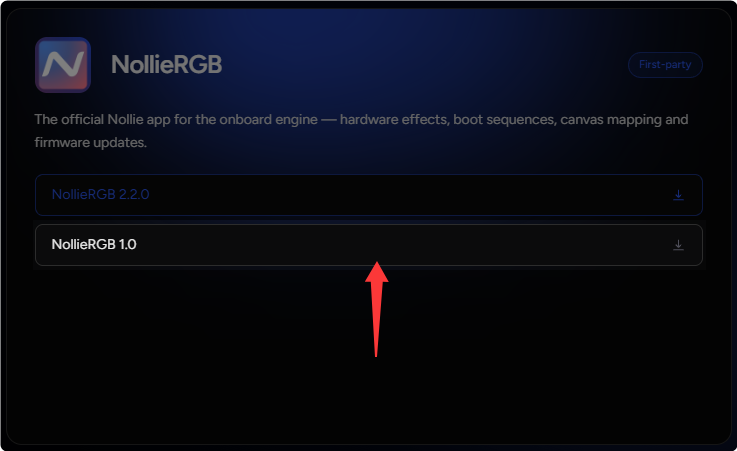
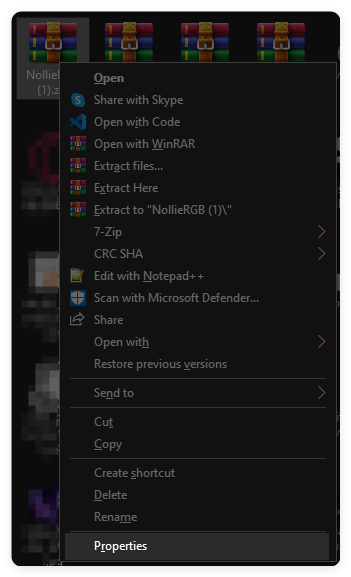
- Right click
NollieRGB.zipand click Properties.
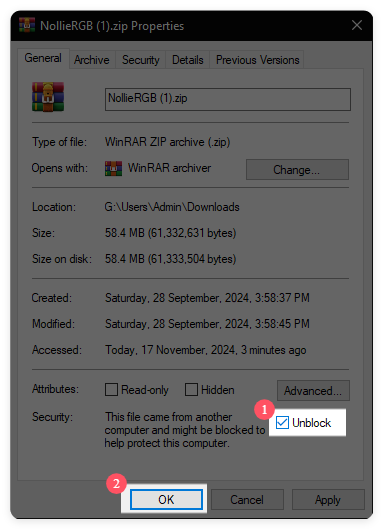
- Check the Unblock checkbox and click OK.
- Extract
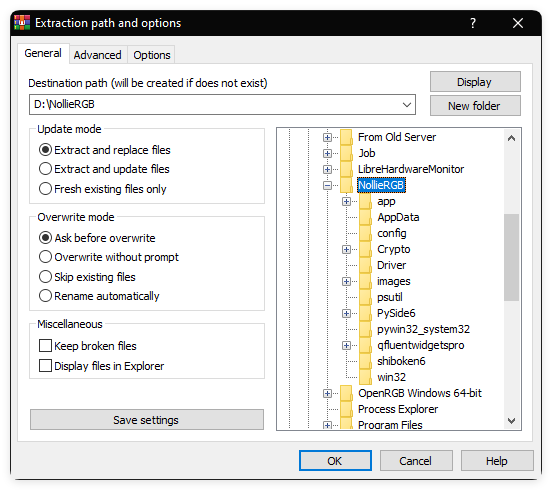
NollieRGB.zipto your Computer.
Setup
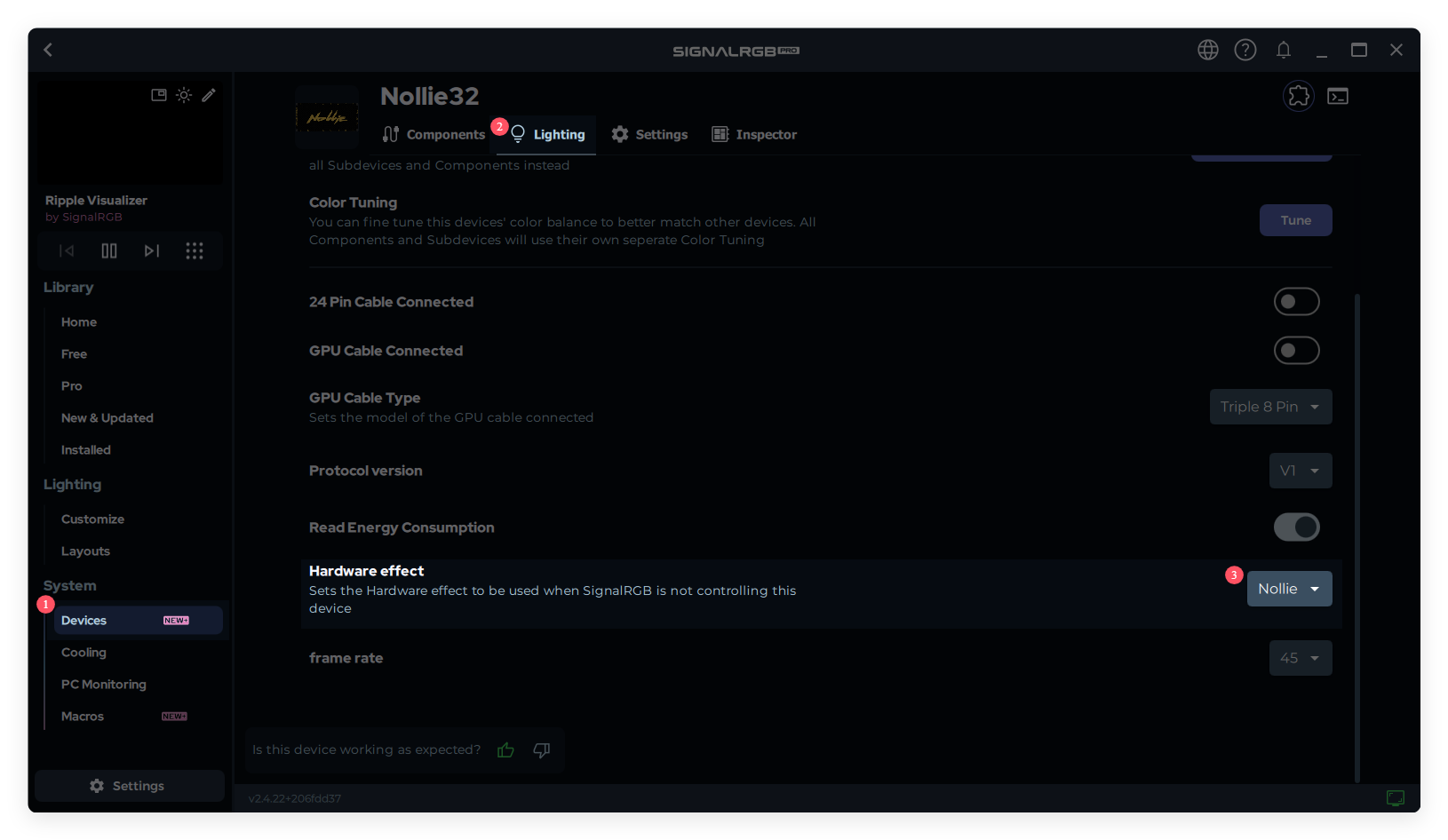
- Before running NollieRGB, if you are a SignalRGB user: open up SignalRGB, click Devices under System, click Lighting tab, and change Hardware effect to Nollie.
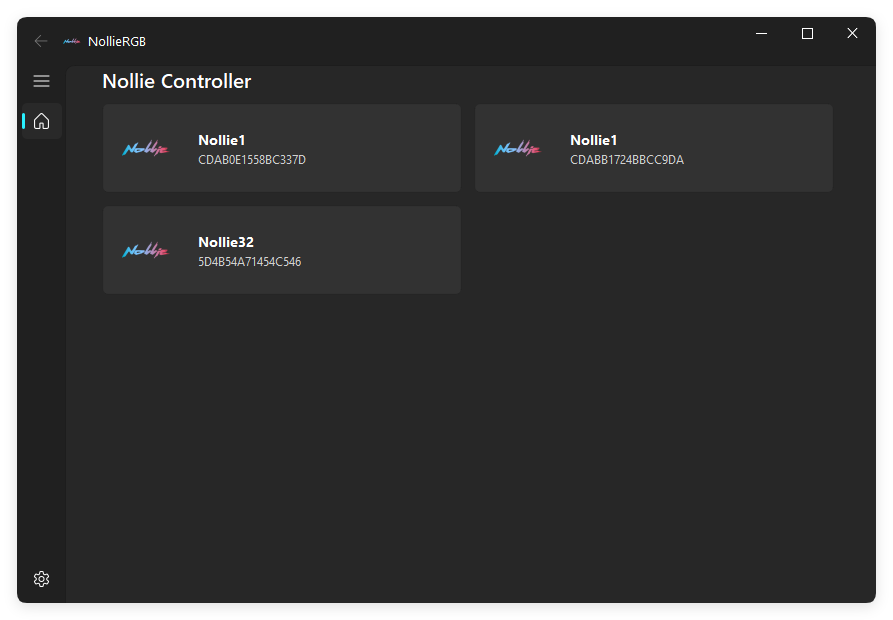
- Now run NollieRGB and click on one of your Nollie controller.
- Now on the left you have the LED Size which will reading it automatically by the zone size configuration from OpenRGB or SignalRGB, If you don’t use any of them RGB softwares, count how many LEDs are on your components and enter into the LED size and Re LED Size text box. For example:
- Antec Prizm 120 ARGB has 18 LEDs
- Asus ROG LC has 8 LEDs
- Asus TUF TF120 has 16 LEDs
- Cooler Master MasterFan MF120 ARGB has 8 LEDs
- EK Nucleus Lux has 12 LEDs
- Factal Prisma AL18 has 12 LEDs
- Lian Li UNIFan SL120 Infinity has 20 LEDs
- Nollie GC120 has 26 LEDs
- Nollie GC140 has 34 LEDs
- Nollie GY360 has 88 LEDs
- Phanteks D30 120 has 15 LEDs
- Thermaltake Pure 12 ARGB has 9 LEDs
- Thermaltake Riing Duo 12 has 18 LEDs
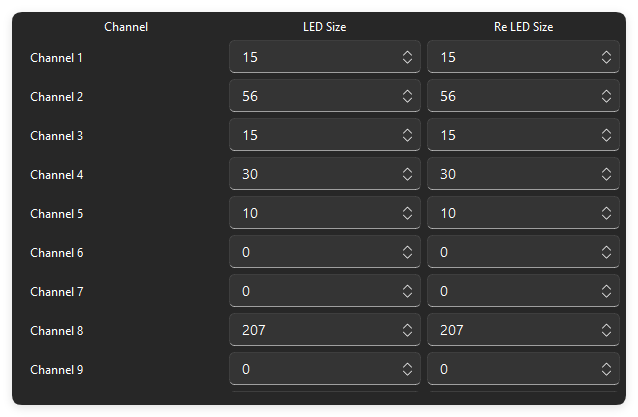
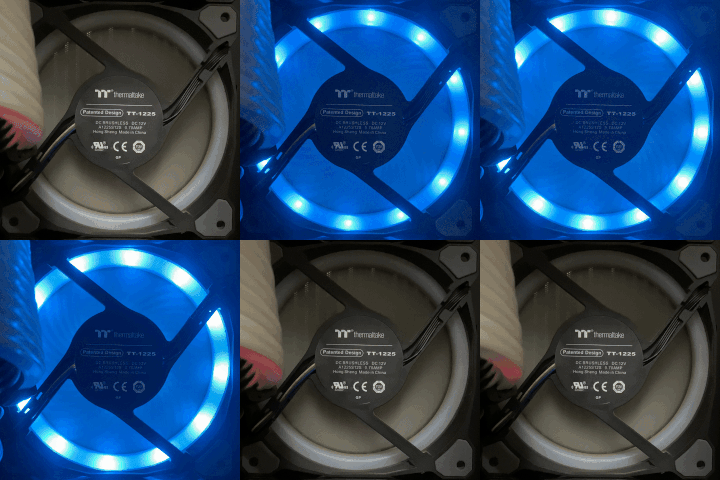
- If you’re unsure which Channel is corresponding to which component, you can click on the Channel name on the right, it will pulse green on the component.
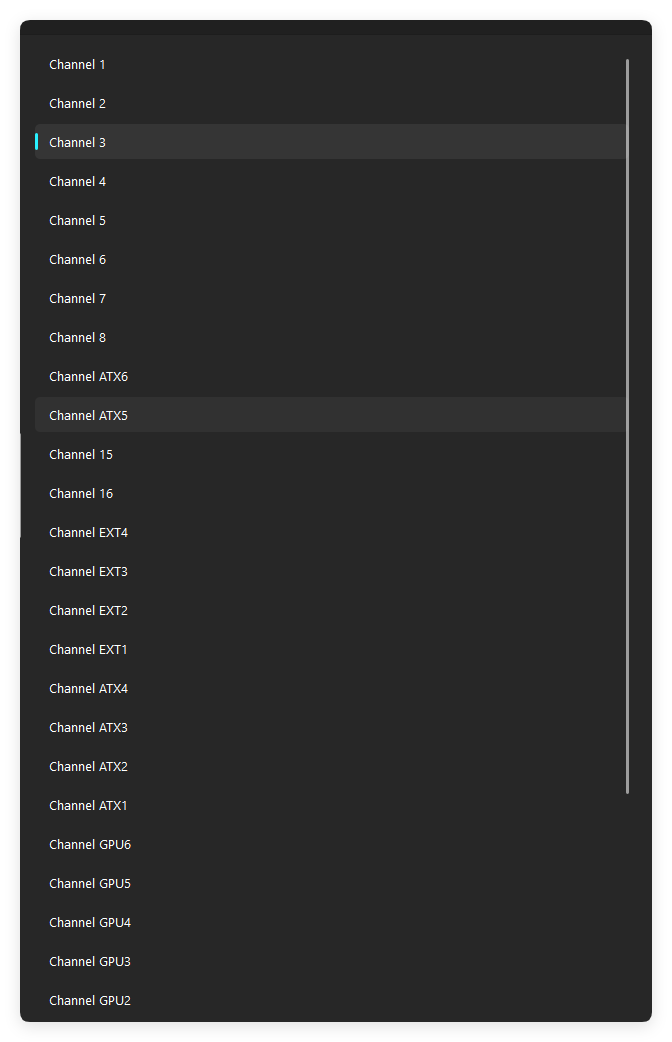
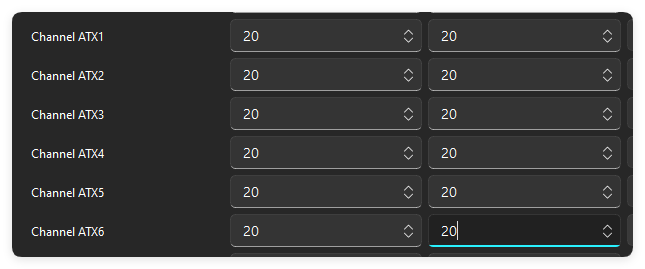
- If you have Lian Li Strimer 24-pin motherboard, Resize Channel ATX 1, ATX 2, ATX 3, ATX 4, ATX 5 and ATX 6 to 20 LEDs. (This step is only applicable for Nollie32)
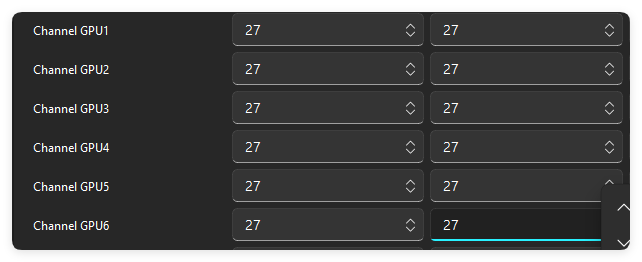
- If you have Lian Li Strimer GPU dual 8-pin or triple 8-pin, Resize Channel GPU 1, GPU 2, GPU 3, GPU 4, GPU 5 and GPU 6 to 27 LEDs. Dual 8-pin leave Channel GPU 5 and GPU 6 at 0 LEDs. (This step is only applicable for Nollie32)
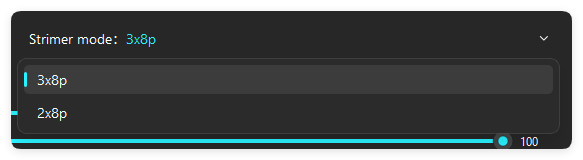
- And select your Strimer. (This step is only applicable for Nollie32)
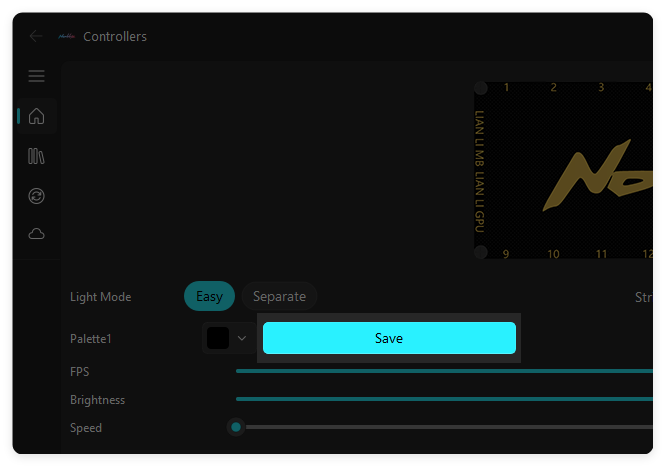
- When you done resizing channels, click the Save button to save your configurations.
Setup Solid color or Effects
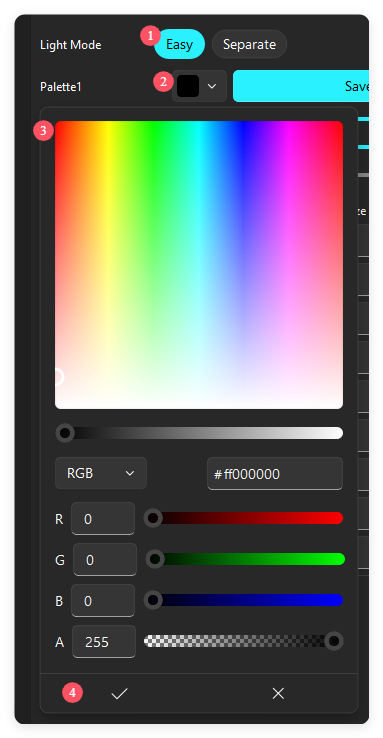
- Solid color is very straight forward. Make sure your are in Easy Light Mode, Click on the Palette 1 to choose a color, click tick ✔ to apply.
- Click on the Library button on the left, and choose the first Static effect.
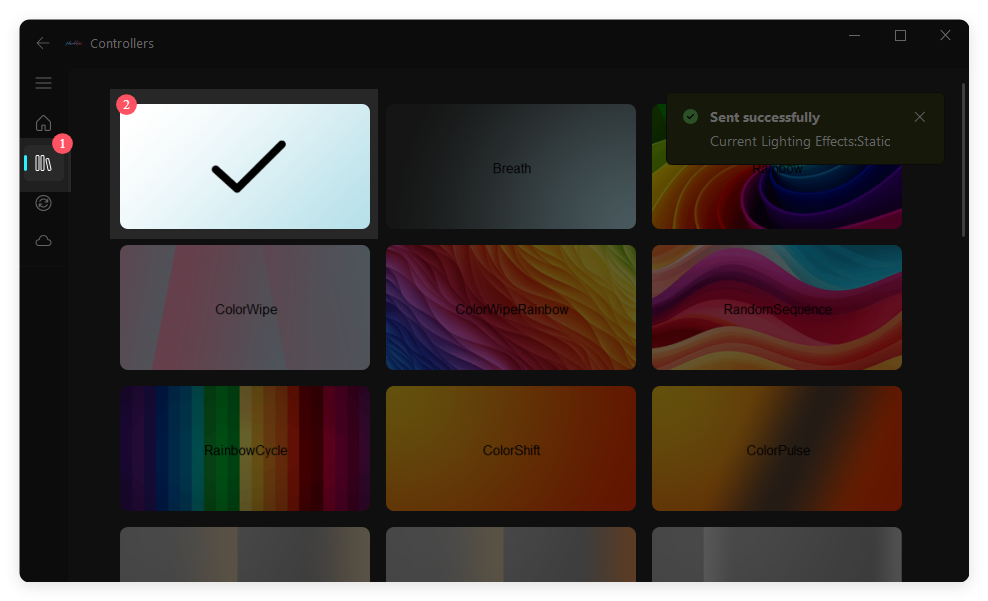
- You can also play with 31 other hardware effects, some effects might not using your palette color.
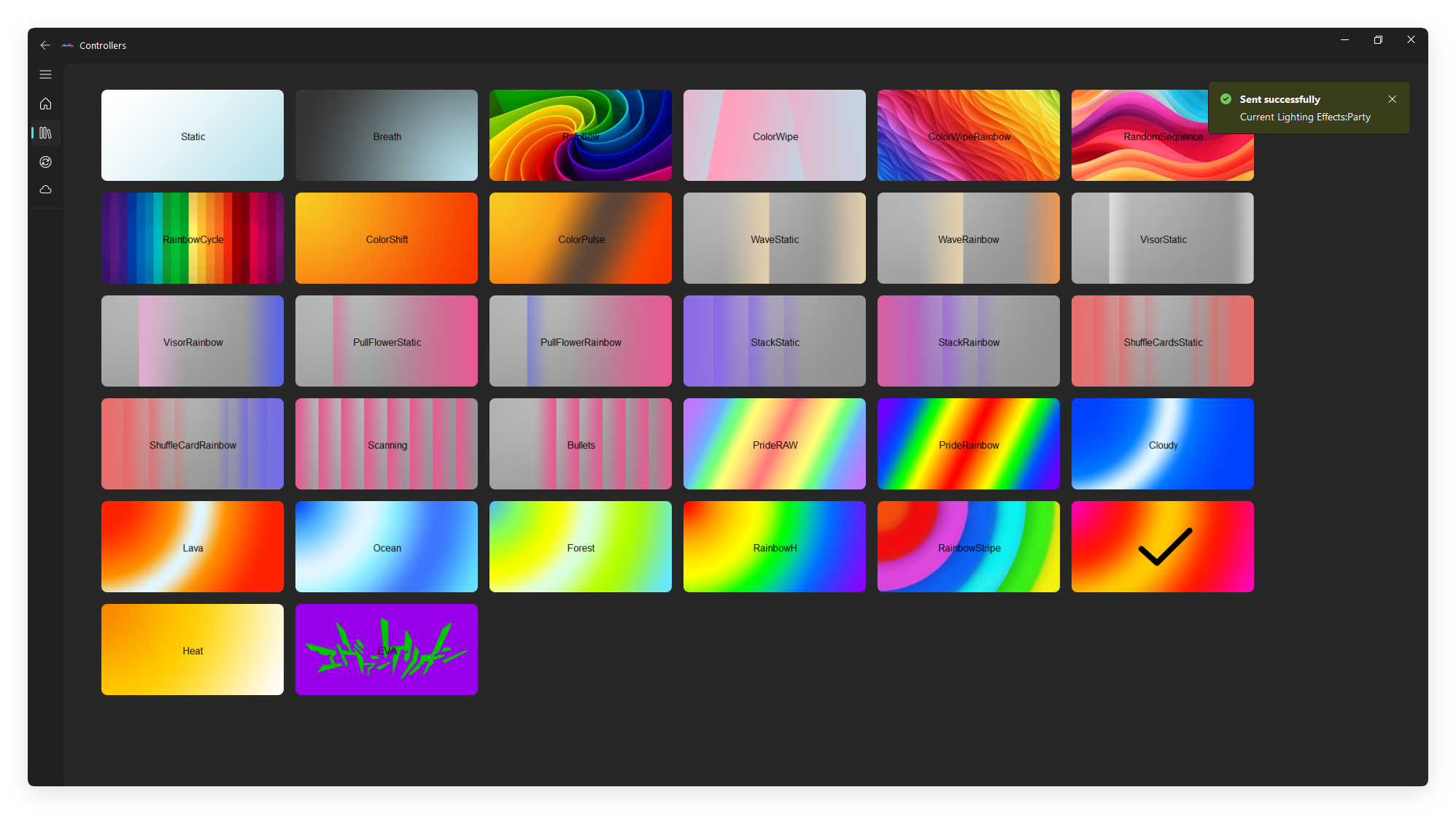
- Rainbow and Meteor effects can change direction with Speed slider, Forward = 1, Reverse = 2.
Advanced Effects
- If you wanted each channel to have their own effects, you need to be on Separate Light Mode, and set each channel a Super effect.
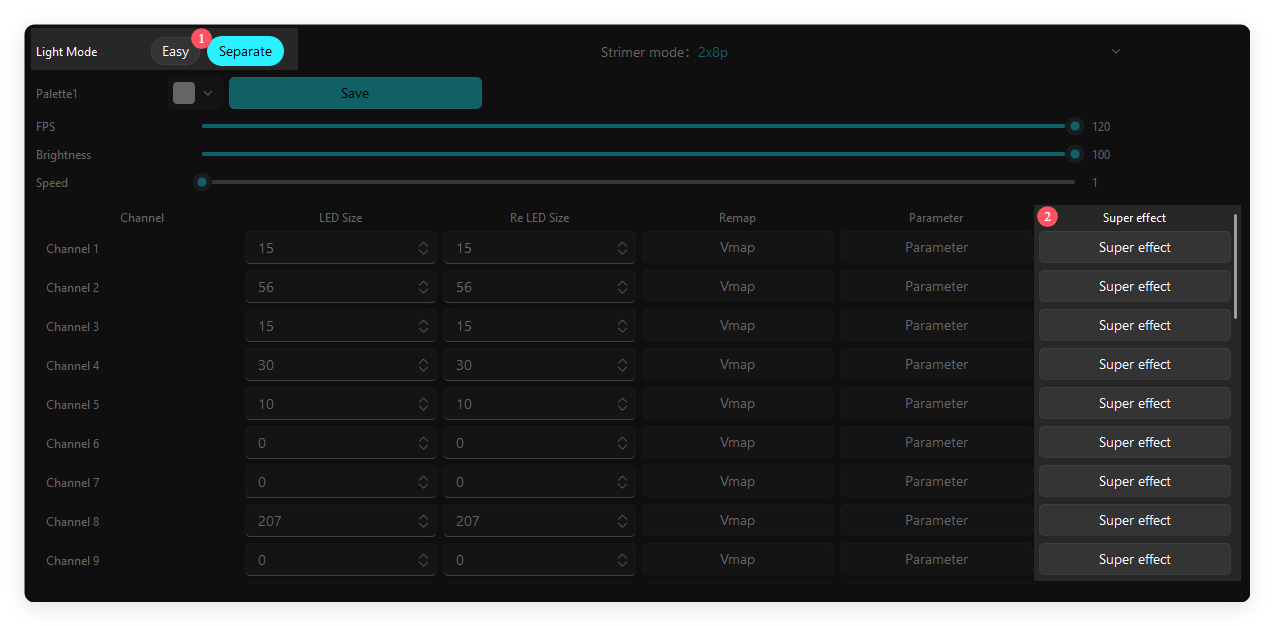
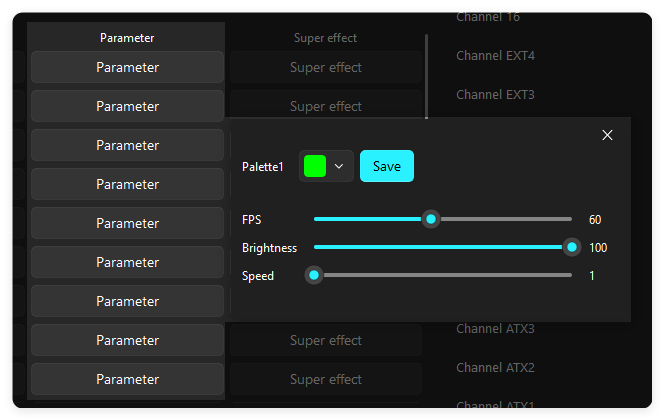
- Each channel can have it’s own palette color, click Parameter button to change it.
- Now if you want to remove the lights from a fan, I’ll take my TT Riing Duo for example: it has 18 total LEDs, and I only want the outer ring to light up. Here are the numbers I gonna enter:
- LED Size: 18
- Re LED Size: 12 Because the inner ring has 6 LEDs, 18 - 6 = 12
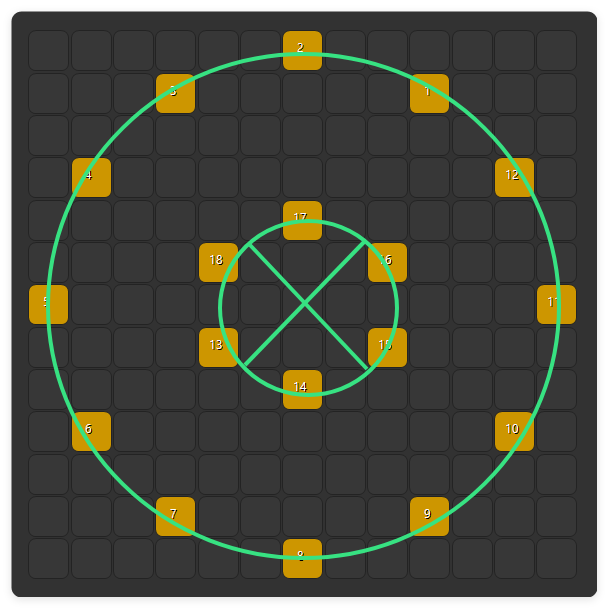
- You can also re-position your LEDs in Vmap. White LEDs are enabled, Black LEDs are disabled.
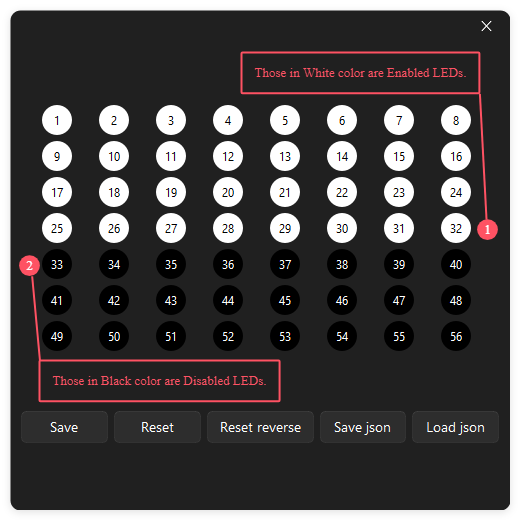
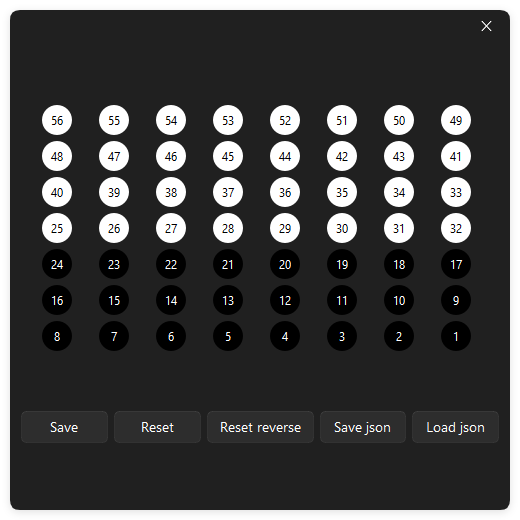 Note: Rainbow and Meteor effect does not support VMap.
- Click Save button to save all changes.